neuron Document Experience API
Mocking
From the following section you will be able to acquaint yourself with MuleSoft Mocking Services from a consumer and designer perspective, allowing best use of the existing API documentation and speeding up the integration process using this API without actually integrating with the API.
What is a Mocking service?
A Mocking service does not intend to provide a test environment, or replace in any way a real API implementation, as the main goal of a Mocking Service is to allow basic request/response which can help the users better understanding the API with examples, like the final responses they will get from the actual API implementation.
Unlike a real implementation, the mock service will not support:
- Any validations that cannot be enforced through a data constraint on the API spec (e.g., business validations, semantic validation)
- Changes to the status of the API and backend services (e.g., create a record and read it based on the identifier)
- Return real data from backend services
- Use of request information (except for base syntax/format validations, everything else is ignored)
- Any mocking capability that cannot be documented through examples.
Why do we need a Mocking service?
A comprehensive API specification also offers production like examples, allowing users to try the API and see how the API will reply in certain use cases. Examples are a native part of the API Specification language (RAML/OAS), and when not presented are auto generated to allow users better understanding of the API data types by providing them an actual response in JSON or defined format (e.g. XML). With the introduction of this base API Specification language support, providing a Mock and allowing users to play with the API on an early Design phase will help identifying missing data, missing data restrictions, and other critical success points. At the other end, once the API is designed and approved, an API contract is finalized, which means that it can be consumed by external applications. This is also one major advantage of Mocking service as it allows external consumers to start developing against an API contract in parallel to the actual API implementation. In resume, a Mocking service is very helpful, since you:
- As an API designer: can test behaviour and collect peer feedback using real examples for better feedback
- As an API consumer: can better understand the behaviour by trying it and can start integrating consumer applications in parallel to the real API Implementation.
How to use a Mocking service
Submit a request
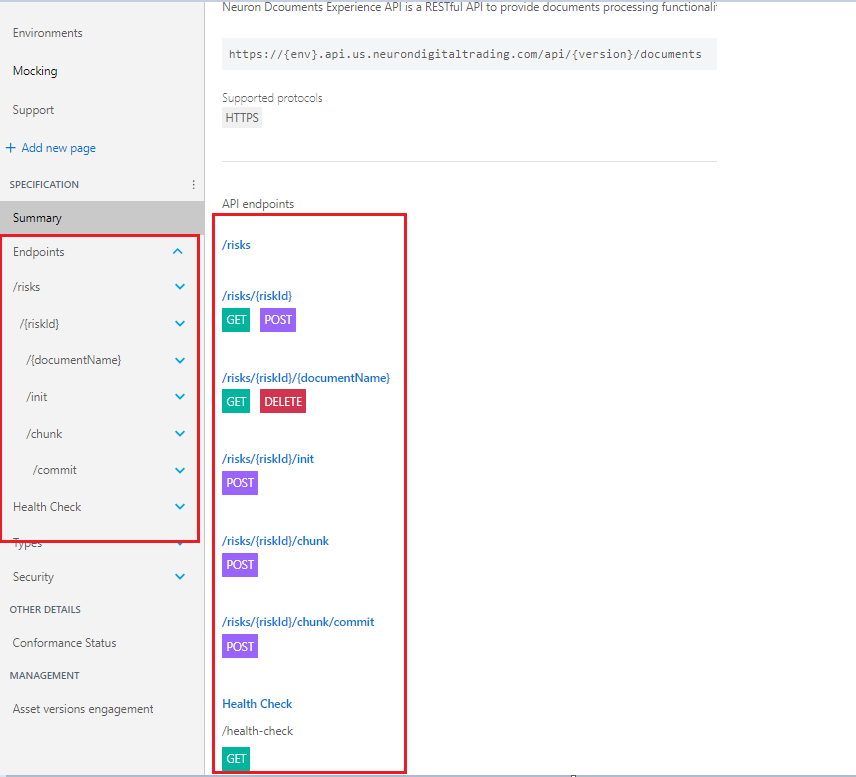
Step 1: Navigate to desired endpoints through left side panel on Summary or by following below.
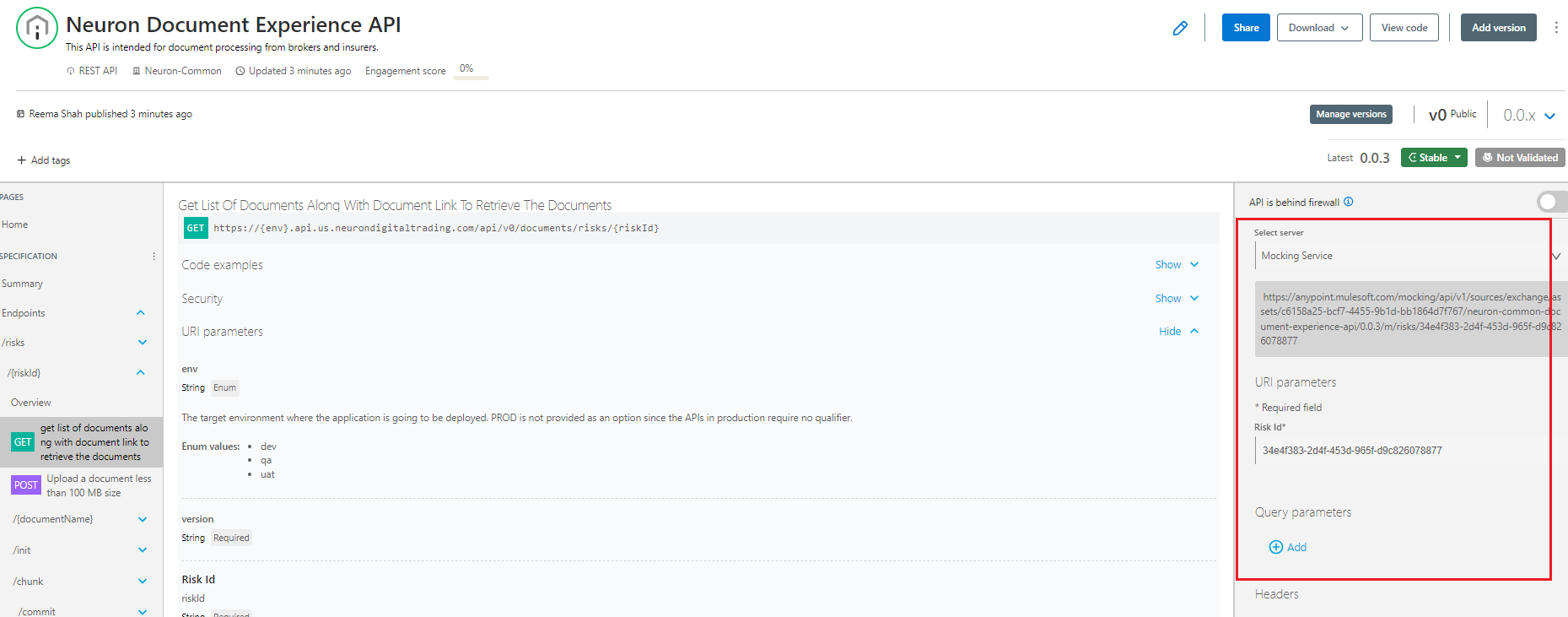
Step 2: Select Mocking Service from dropdown on right side
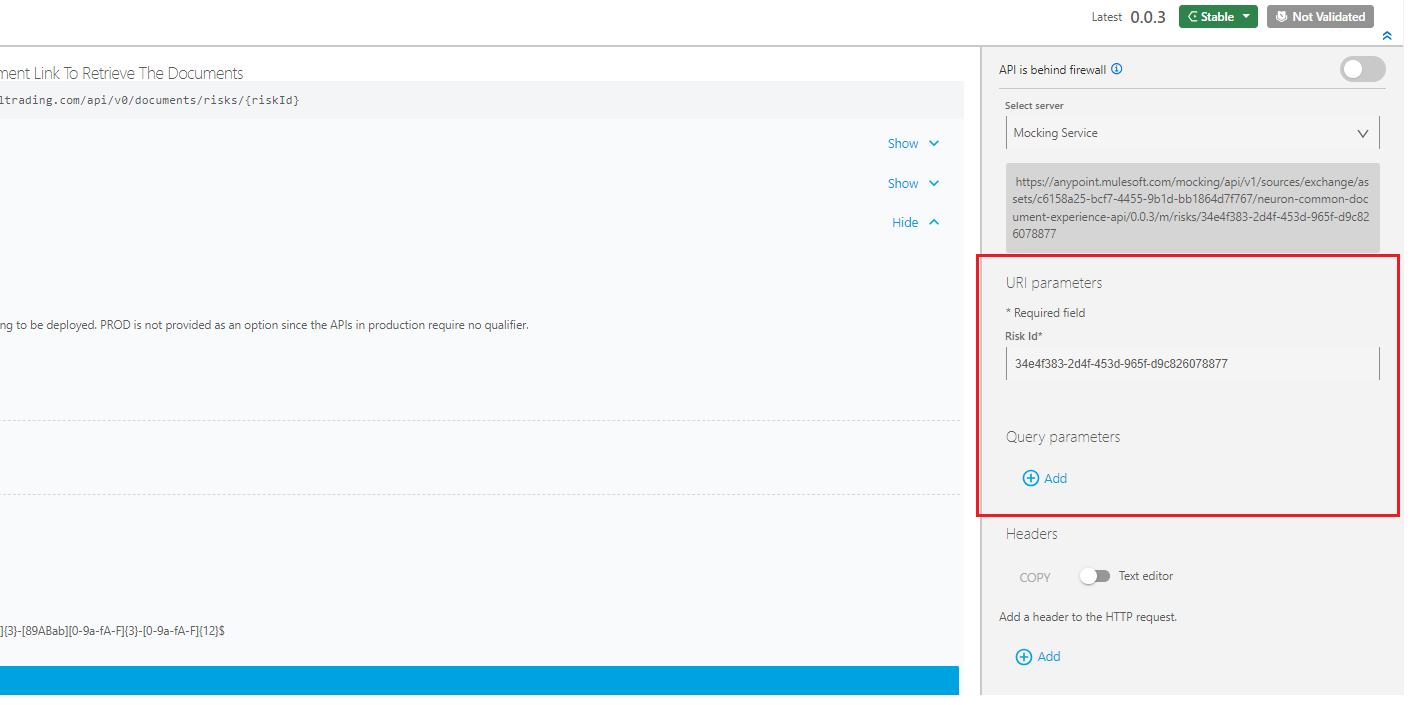
Step 3: Fill other required information
General considerations
- Mocking services will not validate the provided Authentication or return an error. If you want to test specific error scenarios review behavioural headers page on how to do it.
- Although the focus on this page is the use of the API Console for mocking purposes, this functionality can also be used for other environments, allowing consumers to execute a quick test by using the provided code snippets or browser interface (**always ensure the environment selected can be used, as this will trigger real API usage**).
- The API Console is available through the Anypoint Platform, you can use it while Designing your API in Design center. After publishing it to exchange, it will allow you to test against the mocking service and other environments. When added to your API Portal, the API Console will once again be visible with the same base functionality as in Exchange.
Frequently Asked Questions
**Q1: I am getting an Unauthorized error (UNAUTHORIZED_ACCESS_TO_RESOURCE) while using the Mock Service**
Response: First check that you selected the right environment on "Select server" dropdown box - Unlike Mocking Service, other servers will validate >your credentials to invoke them. If the error persists while invoking Mocking Service simply reload
your page. This happens because your session or Mocking Service Authentication Header >expired, the reload of the page will redirect you to Login page (if your session expired), or simply reload the Mocking Service Authentication Header.
**Q2: I want to connect to a specific server, but the server is not visible in the "Select server" dropdown.**
Response: If a given server is not available for selection, it means the server is currently down, or with Private Visibility. We might need to >disconnect the service to prevent additional infrastructure costs, reason why the Mocking service is a very
important tool to allow instantaneous feedback of the API behaviour. If that is real showstopper reach out to support team
Q3: Can you make on Mocking service public?
Response: Unfortunately, no. If a given Mocking service is not published as "Public", it means that is meant for internal use only, reason why it cannot be published.